

View Source Code
Browse the complete example on GitHub
Key Features
- Complete privacy: All data stays on your device - no information is sent to external servers
- Low latency: No network overhead, ideal for real-time video processing
- Zero inference cost: No API charges after the initial model download
- Offline capability: Works without an internet connection once the model is cached
- No rate limits: Process as many frames as your hardware can handle
Quick Start
-
Clone the repository
-
Verify you have npm installed on your system
-
Install dependencies
-
Start the development server
-
Access the application at
http://localhost:5173in your browser
Understanding the Architecture
This demo uses the LFM2.5-VL-1.6B model, a 1.6 billion parameter vision-language model that has been quantized for efficient browser-based inference. The model runs entirely client-side using ONNX Runtime Web with WebGPU acceleration.Remote vs. Local Inference
Traditional cloud-based approaches require sending video frames to remote servers for processing: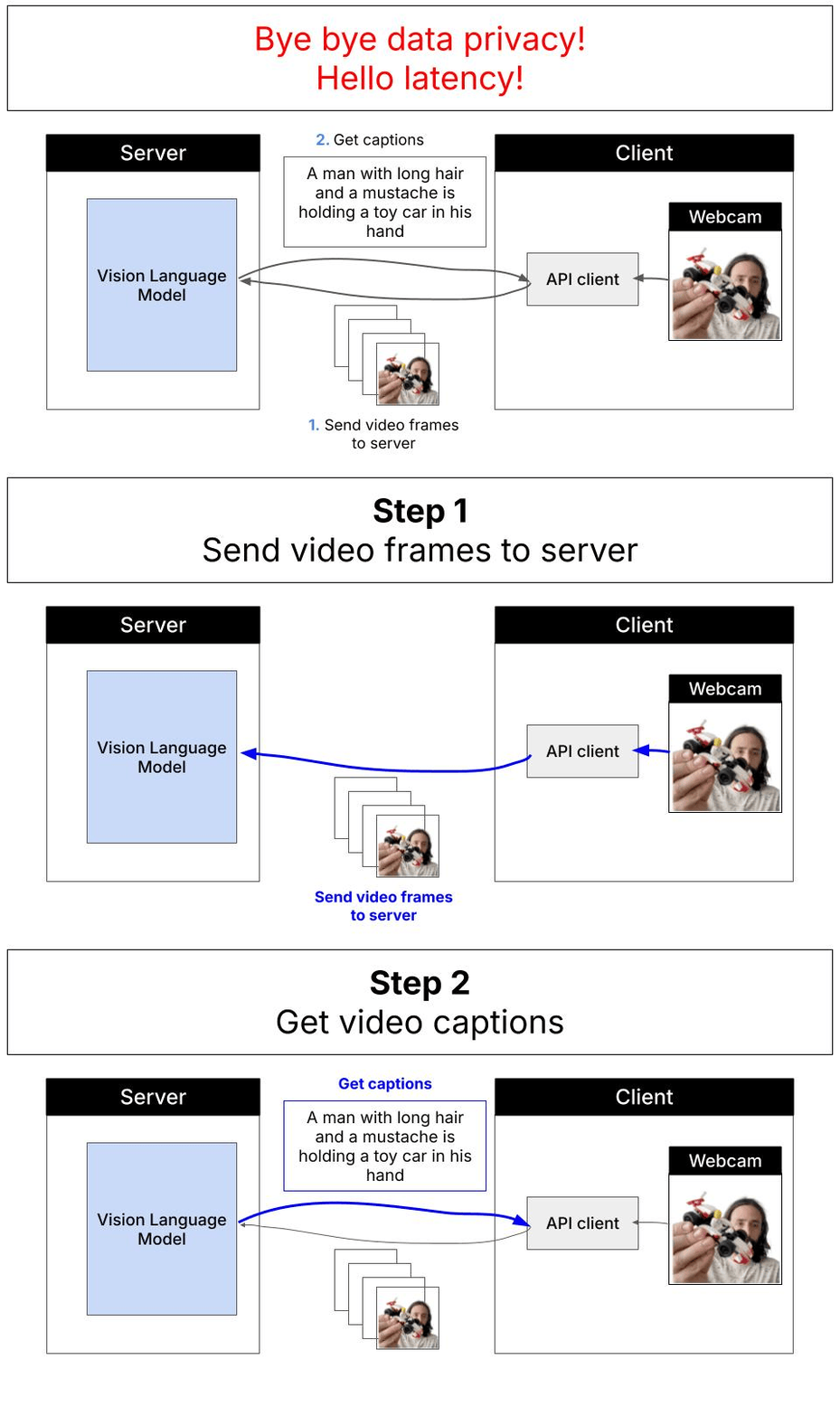 With WebGPU and local inference, everything runs directly in your browser:
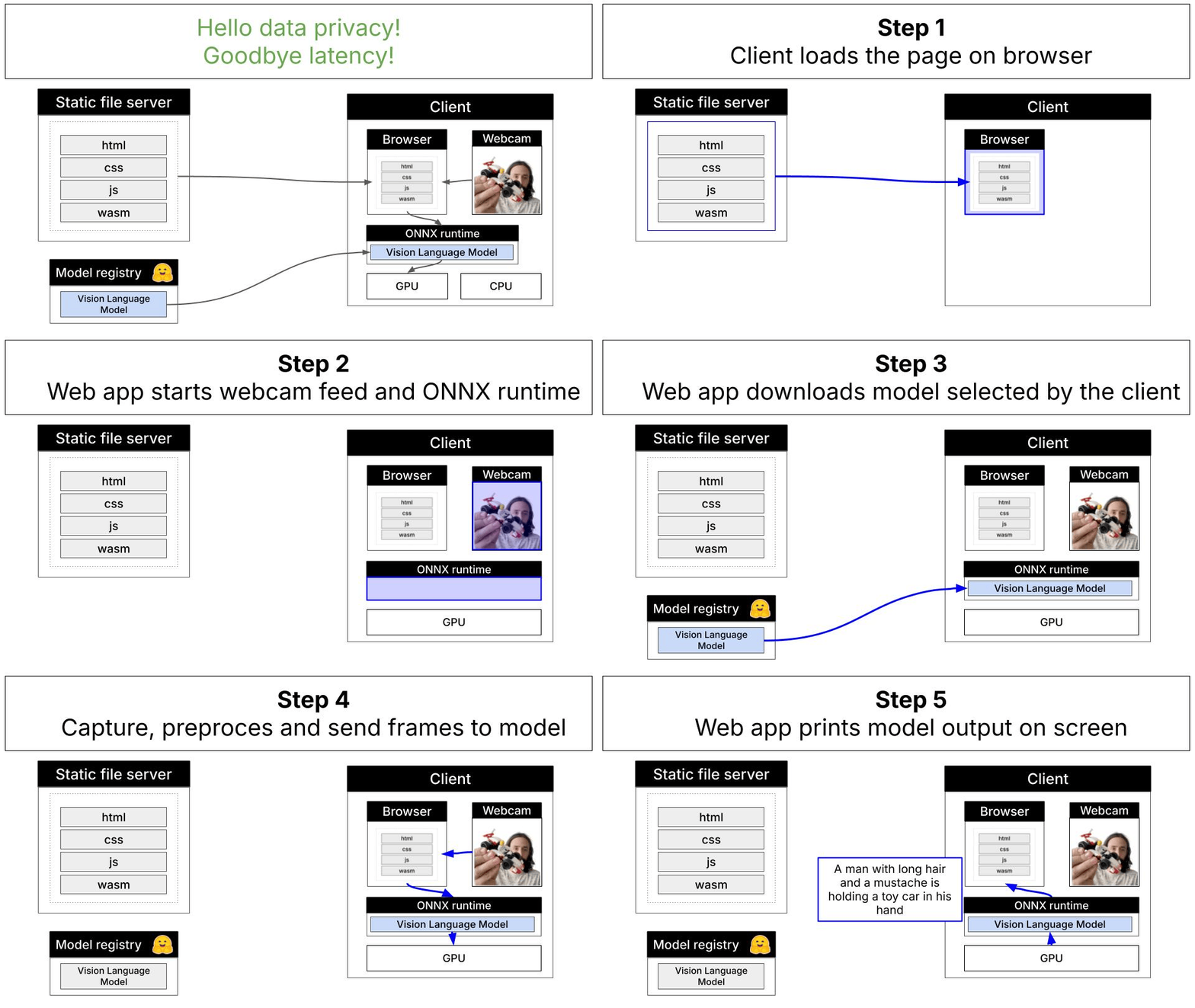
Technical Stack
- Model: LFM2.5-VL-1.6B (quantized ONNX format)
- Inference Engine: ONNX Runtime Web with WebGPU backend
- Build Tool: Vite for fast development and optimized production builds
- Browser Requirements: WebGPU-compatible browser (Chrome, Edge)
Code Organization
The project follows a modular architecture:index.html→main.js- Entry pointconfig.js- Configuration settingsinfer.js→webgpu-inference.js→vl-model.js- Inference pipelinevl-processor.js- Image preprocessingui.js- User interface management
Deployment Options
This demo can be deployed to any platform that supports CORS headers and SharedArrayBuffer:- Hugging Face Spaces - Recommended for quick deployment
- PaaS Providers - Vercel, Netlify
- Cloud Storage - AWS S3 + CloudFront, Google Cloud Storage, Azure Blob Storage
- Traditional Servers - nginx, Apache, Caddy
Important: GitHub Pages is not supported due to CORS and SharedArrayBuffer requirements.
Build for Production
To create an optimized production build:dist/ directory that can be deployed to any web server.
Browser Compatibility
WebGPU Support RequiredThis demo requires a browser with WebGPU support:
- Chrome 113+ (recommended)
- Edge 113+
Need help?
Join our Discord
Connect with the community and ask questions about this example.