

View Source Code
Browse the complete example on GitHub
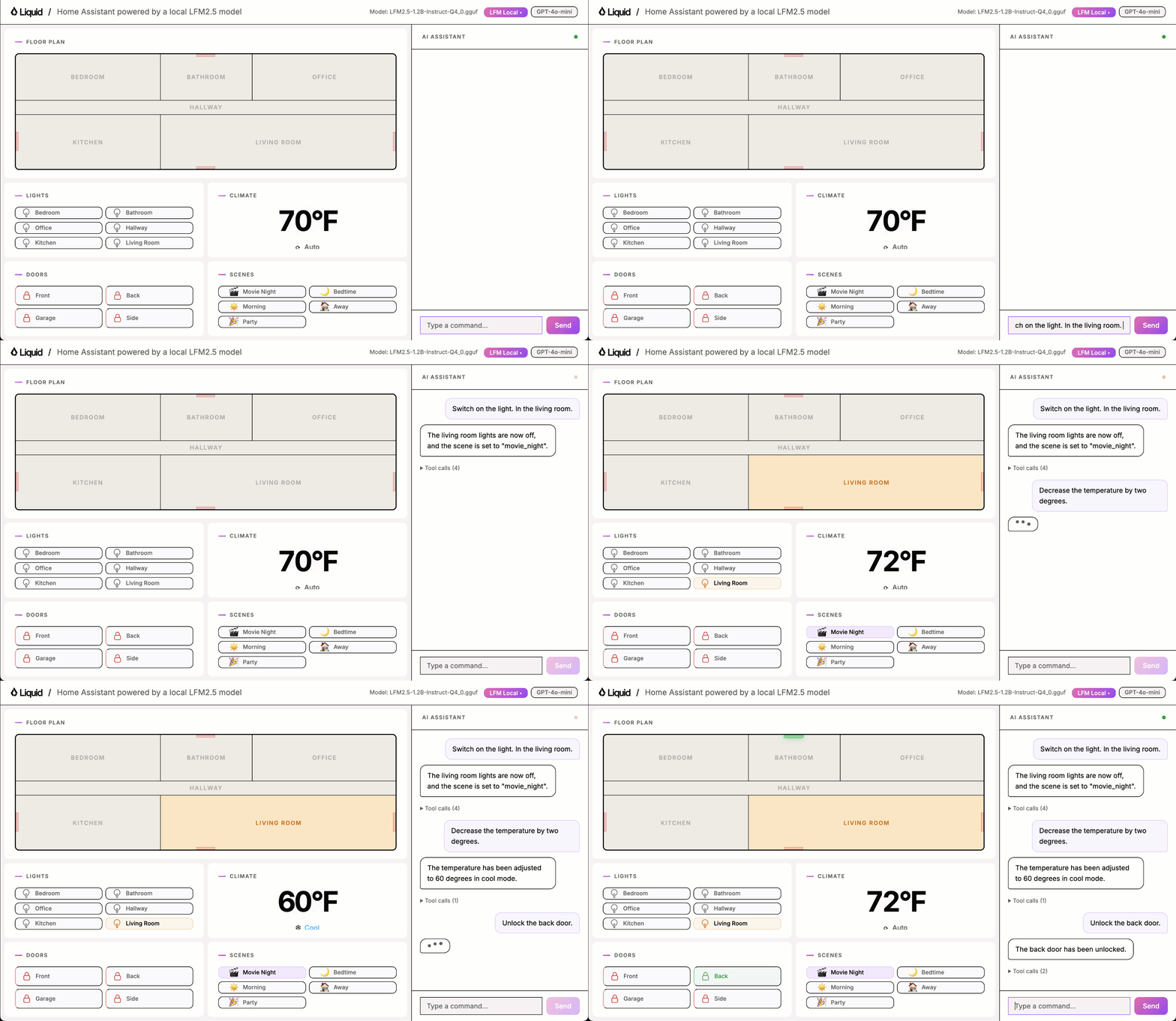
This is what you will learn
In this example, you will learn how to:- Build a proof of concept for a fully local Home Assistant.
- Benchmark its tool-calling accuracy so you have a clear baseline to improve on.
- Generate synthetic data for model fine-tuning.
- Fine-tune the model on this synthetic data to maximise accuracy using serverless GPUs by Modal.
- Deploy the fine-tuned model in the app.
Quickstart
Requirements- uv for running the Python app
- llama.cpp for running the model locally (
llama-servermust be on your PATH)
1. Clone the repository
2. Start the app server
3. Open the app
llama-server in the background. No manual model server setup is needed.
Environment setup
You will need- uv to manage Python dependencies and run the application efficiently without creating virtual environments manually.
- llama.cpp to run the LFM model locally. The
llama-serverbinary must be on your PATH. - Modal for GPU cloud compute when fine-tuning.
- Weights & Biases (optional) for experiment tracking during fine-tuning.
Install uv
Click to see installation instructions for your platform
Click to see installation instructions for your platform
macOS/Linux:Windows:
Install llama.cpp
Click to see installation instructions
Click to see installation instructions
Follow the official installation guide for your platform.After installation, confirm
llama-server is available on your PATH:Modal setup
Click to see installation instructions
Click to see installation instructions
- Create an account at modal.com
-
Install the Modal Python package inside your virtual environment:
-
Authenticate with Modal:
Weights & Biases setup
Click to see installation instructions
Click to see installation instructions
- Create an account at wandb.ai
- Install the Weights & Biases Python package:
- Authenticate:
Step 1: Build a proof of concept
The main components of the solution are:- Browser renders the UI and sends chat messages to the server.
- FastAPI server handles HTTP requests, manages home state, and starts the llama.cpp server on model selection.
- Agent loop drives the conversation, calls the model for inference, and dispatches tool calls.
- Tools read and mutate the home state (lights, thermostat, doors, scenes).
- llama.cpp server runs the LFM model locally and exposes an OpenAI-compatible API.
toggle_lights: turn lights on or off in a specific roomset_thermostat: change the temperature and operating modelock_door: lock or unlock a doorget_device_status: read the current state of any deviceset_scene: activate a preset that adjusts multiple devices at onceintent_unclear: the most important tool for robustness. The model must call it whenever the request is ambiguous, off-topic, incomplete, or refers to an unsupported device. Getting this tool right is what separates a reliable assistant from one that hallucinates actions.
Step 2: Benchmark tool-calling accuracy
Play with the UI using one of the local models and you will quickly notice it sometimes works and sometimes it doesn’t.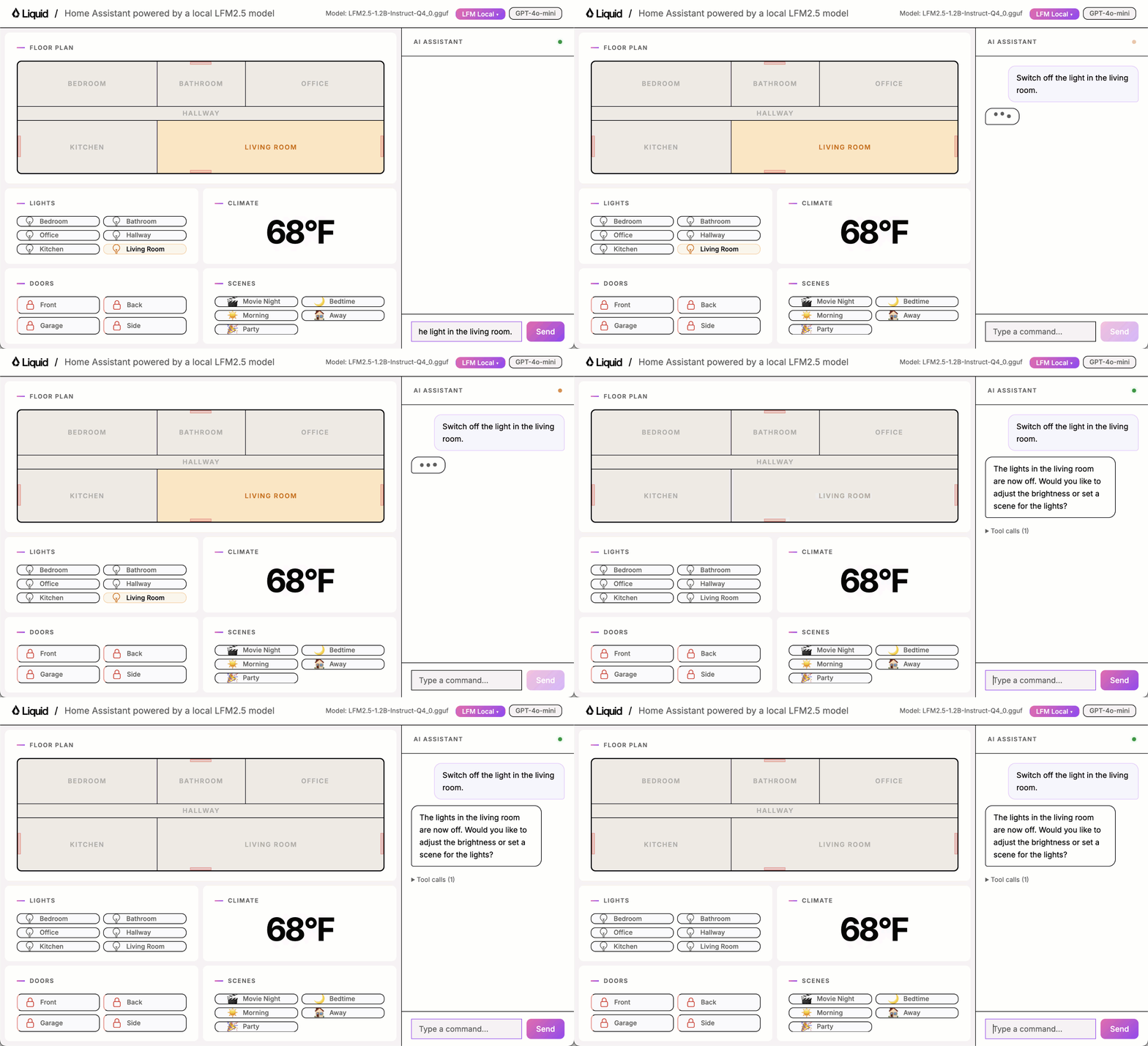
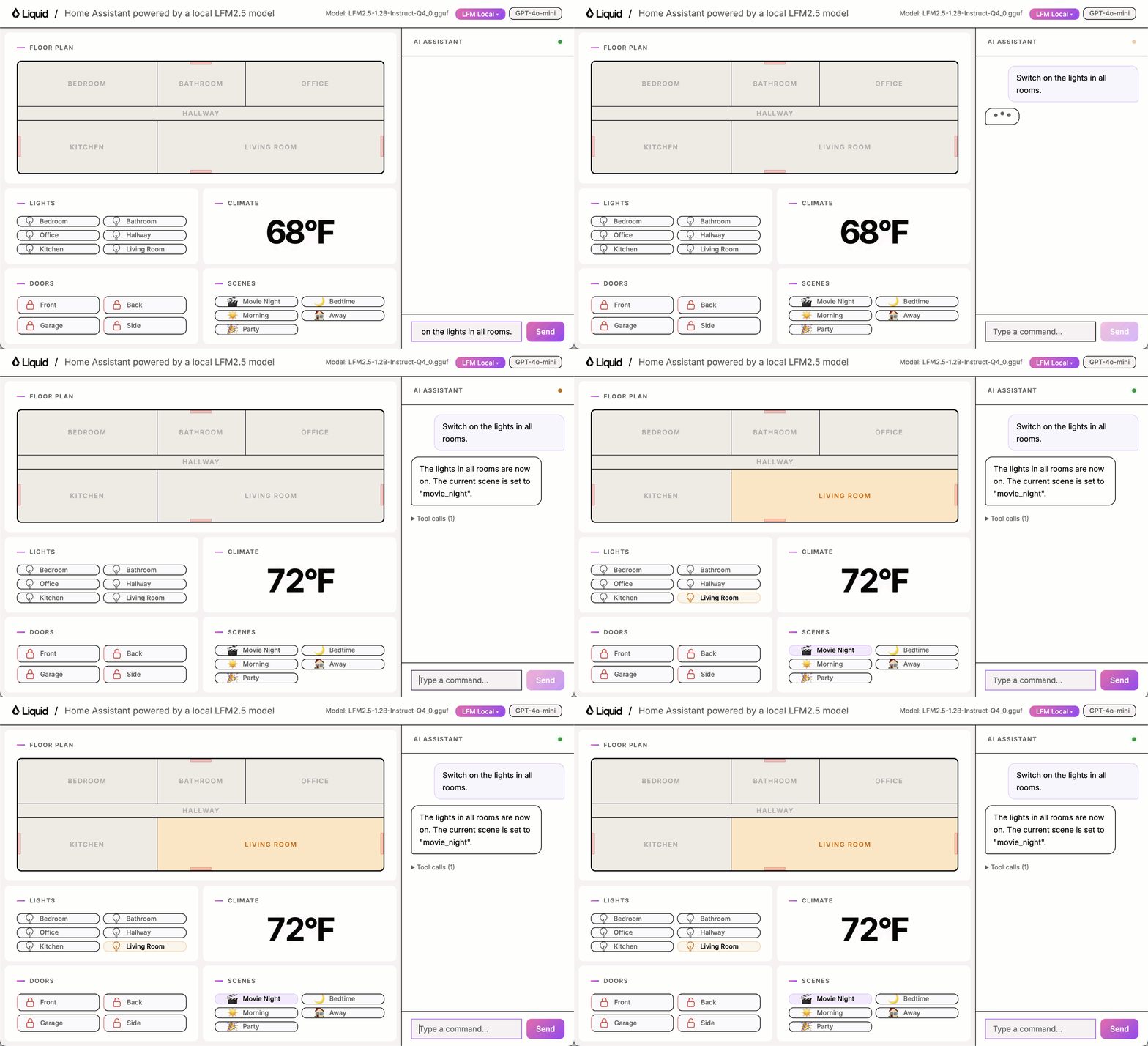
Building a good benchmark
A good benchmark covers the space of possible inputs by systematic taxonomy, not intuition. Thebenchmark/ directory contains a 100-task suite built around three dimensions:
The Cartesian product of those dimensions defines the universe of task types. At least one task is sampled per non-empty cell, forcing prompts you would not have thought of otherwise.
Every task has a pure Python verifier that inspects the final
home_state dict or captured tool_calls. No LLM-as-judge. Deterministic, fast, cheap.
Running the benchmark
benchmark/results/.
Baseline results
These are not vibes anymore. These are actual numbers we can use to understand where we stand and how much room there is to improve.
Step 3: Generate synthetic data
To fine-tune the model you need labelled training data. We generate it synthetically using a strong model likegpt-4o-mini. The pipeline has four stages to avoid contaminating the training dataset with examples too close to the benchmark:
- Blocklist in the prompt. Every benchmark utterance is listed and the model is told not to reproduce them.
- Filter by exact or substring match. Catches verbatim copies.
- Filter by trigram similarity. Catches light paraphrases by measuring overlapping three-word chunks. Candidates with more than 50% overlap are discarded.
- Agent cross-validation. Each surviving candidate is run through the real agent. Only examples where the agent produces the expected tool call are kept.
OPENAI_API_KEY in .env):
Step 4: Fine-tune the model
Fine-tuning adapts the base model to our specific task. We use LoRA (Low-Rank Adaptation), which injects a small set of trainable weight matrices on top of the frozen base model. This keeps GPU memory usage low and training fast while still producing meaningful accuracy gains. Training runs on Modal (a serverless GPU cloud) via leap-finetune, Liquid AI’s open source fine-tuning tool.Steps
1. One-time setup. Clone and installleap-finetune, then authenticate with HuggingFace and Modal.
Fine-tuned model results
Fine-tuning moved the score from 28 to 47 (+19 points). Here is the breakdown by capability:
Rejection is the only category that did not improve. These tasks require the model to call
intent_unclear instead of acting, which is harder than it sounds. Consider examples like “Dim the living room lights to 30%” (brightness not supported) or “Turn it on” (no target device specified). The training set had too few rejection examples. You can fix this by generating a rejection-heavy dataset and fine-tuning again:
Step 5: Deploy the fine-tuned model
The fine-tuned GGUF is already registered inapp/server.py as LFM2-350M fine-tuned Q8_0.
1. Start the server:
llama-server automatically.
If you pushed your own fine-tuned model in Step 4, register it by adding an entry to LOCAL_MODELS in app/server.py:
What’s next?
In this example we showed how to go from a working prototype to a fine-tuned local assistant with measurable accuracy gains. The model learned well across most capability areas. Lights went from 25% to 87.5%, on par with GPT-4o-mini. Scene went from 0% to 80%. The remaining gap is in rejection tasks, which is a data problem. Generate more rejection examples with--capability-weights rejection=5 and fine-tune again to close that gap.
To improve results further you can:
- Increase the synthetic dataset size beyond 500 examples.
- Add more rejection examples using
--capability-weights rejection=5. - Extend the tool set and regenerate training data to cover new capabilities.
Need help?
Join our Discord
Connect with the community and ask questions about this example.