

View Source Code
Browse the complete example on GitHub
- leap-finetune: Liquid AI’s fine-tuning framework for LFM models.
- Modal: serverless GPU cloud for running data prep and training without managing infrastructure.
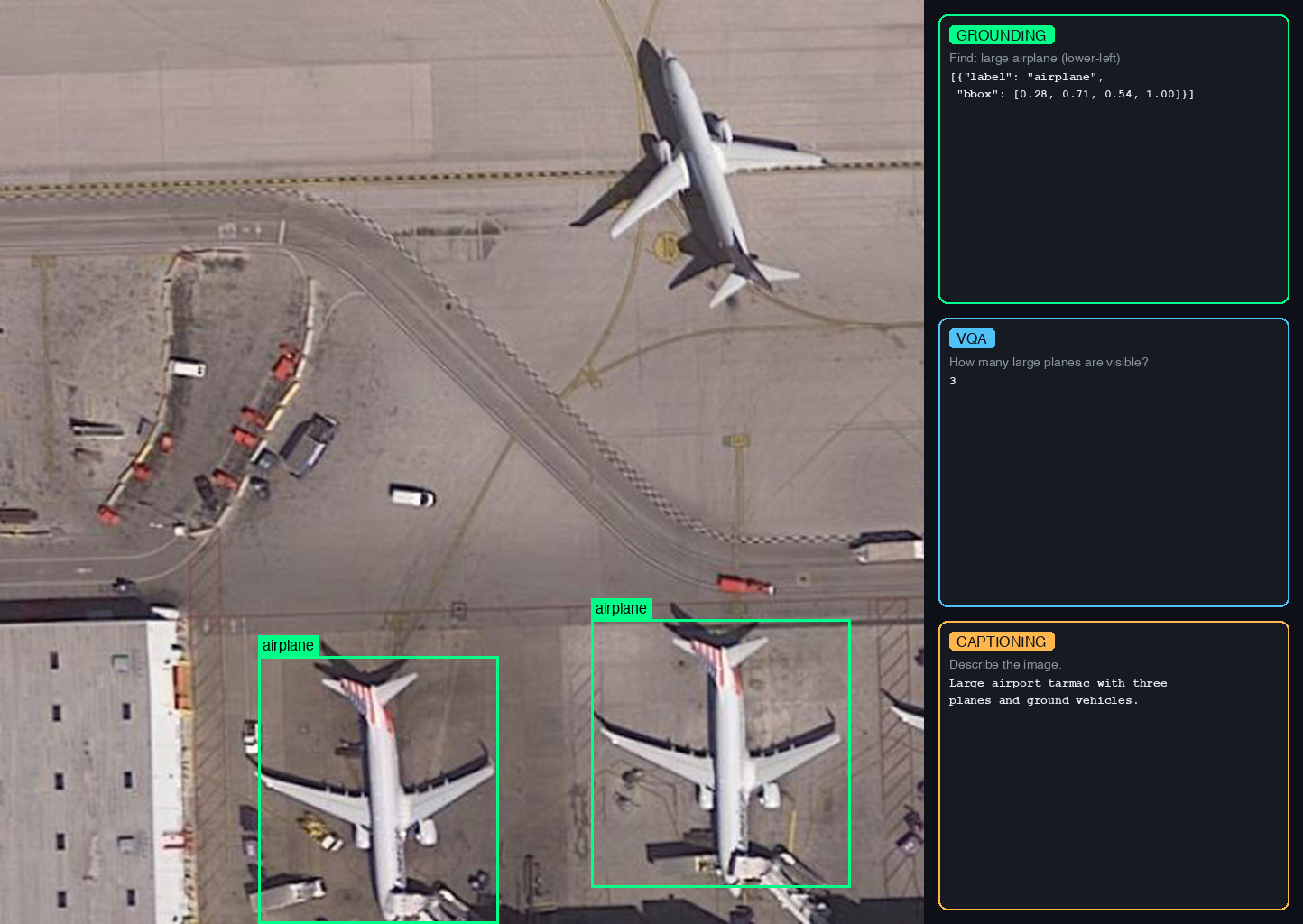
- VRSBench dataset (NeurIPS 2024) which supports three tasks:
- VQA: answer questions about satellite images (123K QA pairs)
- Visual Grounding: detect and localize objects with bounding boxes (52K references)
- Captioning: generate detailed descriptions of satellite scenes (29K captions)
Quickstart
-
Install and authenticate (run from
cookbook/examples/satellite-vlm/): Modal provides serverless GPUs you pay for per second. New accounts include $30 of free credit, enough to run this example end to end. No local GPU required. -
Prepare data (~12 GB): the download and conversion run inside a Modal container, and the resulting data is pushed to a Modal volume where the fine-tuning job will pick it up.
-
Clone leap-finetune and kick off fine-tuning on an H100, checkpoints saved to the
satellite-vlmModal volume:
How It Works
All heavy computation runs in the cloud. The only things that run locally are theprepare_vrsbench.py launcher and the leap-finetune CLI, both of which just submit jobs and stream logs.
- Data prep (Modal CPU container):
prepare_vrsbench.py --modalspins up a Modal container, downloads VRSBench (~12 GB) from HuggingFace, converts it to JSONL, and writes everything to a Modal volume namedsatellite-vlm. - Training (Modal H100):
leap-finetunesubmits a training job that reads data from the same volume, fine-tunes the model, and saves checkpoints back to the volume. - Retrieval (local): you pull the checkpoints from the volume to your local machine with
modal volume get.
Data Preparation
prepare_vrsbench.py downloads VRSBench from HuggingFace and converts it to the JSONL format required by leap-finetune.
Modal (recommended): runs entirely in the cloud, writes directly to the satellite-vlm Modal volume:
./data/ locally, or to the Modal volume with --modal):
vrsbench_{task}_train.jsonl: training datavrsbench_{task}_eval.jsonl: evaluation data
Training
Run from theleap-finetune root (cloned in the Quickstart):
satellite-vlm Modal volume under /satellite-vlm/outputs/.
To enable experiment tracking, uncomment tracker: "wandb" in the config.
Retrieving Checkpoints
List and download checkpoints from the Modal volume:Data Format
The grounding task uses JSON bounding box format with 0-1 normalized coordinates, matching the LFM VLM’s pretraining format:Evaluation
Benchmarks run automatically during training at everyeval_steps:
- VQA:
short_answermetric (case-insensitive substring match) - Grounding:
grounding_ioumetric (IoU@0.5 threshold) - Captioning:
CIDErorBLEUmetrics
limit field in the YAML config for faster iteration.
Running a full standalone evaluation: to evaluate on the complete dataset without retraining, use configs/vrsbench_full_eval.yaml. Set eval_on_start: true, remove the limit fields, and point the config at your checkpoint path. The model runs the full evaluation at step 0, logs results to WandB, and terminates.
AI in Space Hackathon
This example is the official starting point for the AI in Space Hackathon, a fully online event organised in partnership between DPhi Space and Liquid AI, open to builders from all around the globe. Use this fine-tuning pipeline as your baseline and push it further with real satellite data.
Join our Discord
Connect with the community and ask questions about this example.